Short-term Treasurys: Even more attractive now.

By David Enna, Tipswatch.com

Back in early July, I wrote an article suggesting a strategy of staggering purchases of short-term Treasurys to boost your gains on cash holdings. I raised this idea because yields on Treasury bills (often called T-bills) were already higher and rising faster than yields you could find at a bank or money market fund.

Why stagger the purchases, laddering them a few weeks apart? This allows you to gain from rising interest rates, while also giving you easier access to your cash if you need it.

That strategy certainly has worked. Here are the typical cash-equivalent yields I listed in that article on July 4, compared to current returns after several months of Federal Reserve rate hikes:

  • 1-year Treasury bills, yielding 2.79% then. Now: 4.03%
  • 26-week Treasury bills, yielding 2.62% then. Now: 3.86%
  • 1 year bank CDs, yielding 2% then. Now: 3.1%
  • 13-week Treasury bills,yielding 1.73% then. Now: 3.35%
  • 4-week Treasury bills, yielding 1.27% then. Now: 2.57%
  • Vanguard Treasury Money Market, yielding 1.11% then. Now: 2.34%
  • Online bank savings accounts, typically yielding 1% to 1.2%. Now: 1.9%
  • 6-month bank CDs, yielding 1% then. Now: 2.5%
  • Fidelity Treasury Money Market, yielding 0.98% then. Now: 1.86%
  • 3-month bank CDs, about 0.35% then. Now: 1.5%.

As I noted in that July article — and it is still true today — the sweet spot in the T-bill yields seems to be in the 13-week and 26-week maturities. The 26-week is now just 10 basis points lower than the 2-year Treasury, which closed yesterday at 3.86%. The 13-week is desirable because the shorter term allows you to get access faster to future rate increases.

Here is the current nominal yield curve for all Treasury issues, based on the Treasury’s Yield Curve estimates, which are updated daily after the market’s close:

The short-end of the curve still looks the most attractive, but I would be highly tempted to dive into a 5-year Treasury note if the yield surpasses 4.0%, which definitely looks possible. Who knows what will happen to yields over the next 5 years? But it seems to make sense to lock in a rate that is historically attractive. The last time the 5-year yield exceeded 4% was October 2007, just before the Great Financial Crisis cut yields in half.

Obviously these short-term rates will be rising in the next week, in the aftermath of the Federal Reserve’s increase in its federal funds rate, to be announced today. The 4-week T-bill should be rising to around 3.25% if the Fed raises the rate 75 basis points. The 13-week and 26-week probably have already built some of the increase in, but still should move higher.

How to stagger your purchases

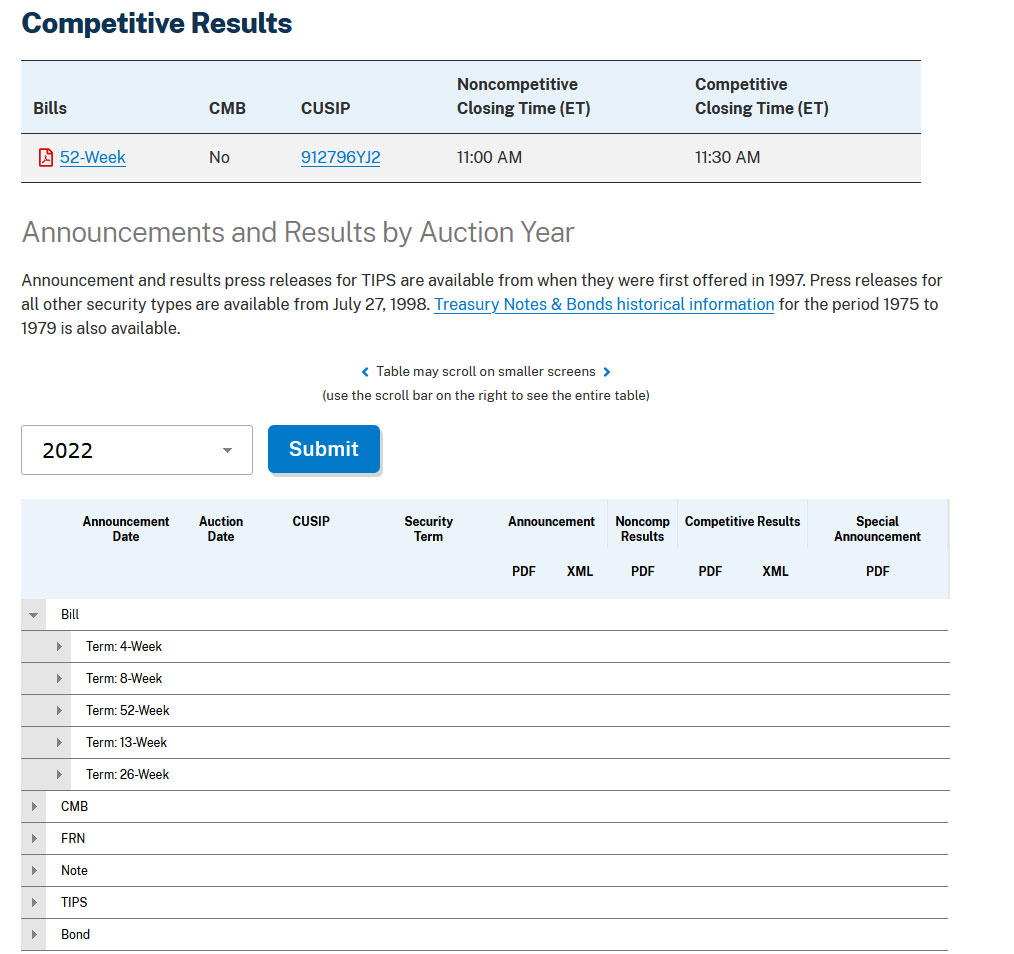
Here is the example I used in the July article, supposing that you are looking to put $60,000 in cash to work, using TreasuryDirect. New 13- and 26-week T-bills are auctioned every Monday. (This strategy would also work using a brokerage firm that allows auction purchases without any fees or commissions.):

13-week Treasurys. You could make three purchases of $20,000 each, four weeks apart. Then you can roll these purchases over on TreasuryDirect, meaning you will always have access to $20,000 within about 4 weeks. This strategy will quickly adapt to rising interest rates. Staggering 13-week Treasury bills is a good strategy for someone who might need the cash back in a short time.

26-week Treasurys. You could make three purchases of $20,000 each, eight weeks apart. Again you could roll these purchases over, riding interest rates higher, and always have access to $20,000 within eight weeks. Staggering 26-week Treasurys is a good strategy for someone who feels comfortable with a little longer delay in re-accessing the cash.

A combination. Put $30,000 in staggered 13-week Treasury bills, and $30,000 in staggered 26-week Treasury bills. You’d ride interest rates higher, get a slight yield boost for the 26-week term, and still have access to $10,000 within four weeks.

The July article lays out a step-by-step guide for using TreasuryDirect to make and schedule the purchases. I have used this technique, and it works well. I haven’t used a brokerage to make short-term Treasury purchases, so I can’t say how smooth that process is. But it should be fine.

When to quit this strategy?

I’d be OK with continuing these rollover investments if the Fed announces a “stall” on raising future interest rates (that could happen in 2023, certainly). But at that point, bank CDs might begin catching up with the Treasury rates — or could be offering attractive promo rates. During this time it might be wise to begin paring down the T-bill holdings and looking for longer-term issues.

If you believe the Fed is about to begin cutting interest rates (it will give signals) it will be time to unwind this strategy. In 2019, the 13-week T-bill rate fell from 2.47% on April 29 to 1.55% on Dec. 31. So, in normal circumstances, you will have time.

Video: Another viewpoint

Jennifer Lammer of Diamond NestEgg posted a video Sept. 26 on this same topic from a slightly different approach. As usual, it’s clear and well organized (and she mentioned my site!). Here is the video:

* * *

Feel free to post comments or questions below. If it is your first-ever comment, it will have to wait for moderation. After that, your comments will automatically appear.

David Enna is a financial journalist, not a financial adviser. He is not selling or profiting from any investment discussed. The investments he discusses can be purchased through the Treasury or other providers without fees, commissions or carrying charges. Please do your own research before investing.


Posted in Bank CDs, Cash alternatives, Federal Reserve, TreasuryDirect | 79 Comments

This week’s 10-year TIPS reopening auction is worth a serious look

Have you given up on longer-term Treasurys? It’s time to get back in the game.

By David Enna, Tipswatch.com

You’ll never see me screaming “buy, buy, buy” like CNBC’s resident madman, Jim Cramer, but I do think that sensible, conservative investors should take a look at Thursday’s 10-year TIPS reopening auction.

The Treasury is offering $15 billion in a reopening of CUSIP 91282CEZ0, creating a 9-year, 10-month TIPS. An interesting side note is that $15 billion is the highest-ever amount offered at a 10-year TIPS reopening auction. These offerings have grown from $12 billion in March 2020, to $13 billion in March 2021, to $14 billion in September 2021 and now $15 billion in September 2022. That’s an increase of 25% in 2 1/2 years, and is evidence that the Treasury isn’t de-emphasizing TIPS in these inflationary times.

CUSIP 91282CEZ0 had its originating auction on July 21, 2022, when it generated a real yield to maturity of 0.630%. Its coupon rate was set at 0.625%, making it the first 10-year TIPS with a coupon rate above 0.125% since July 2019.

Definition: The “real yield” of a TIPS is its yield above official future U.S. inflation, over the term of the TIPS. So a real yield of 1.07% means an investment in this TIPS will exceed U.S. inflation by 1.07% for 9 years, 10 months.

Because this TIPS trades on the secondary market, we can track its current real yield and price in real time on Bloomberg’s Current Yields page. It closed Friday with a real yield of 1.07% and a price of $95.84 for $100 of par value. The price is at a discount because the real yield is well above the coupon rate of 0.625%.

If the real yield holds above 1% at Thursday’s auction, this would be the first 9- to 10-year TIPS with a real yield that high since November 2018, very close to the end of the Fed’s last tightening cycle. In fact, since November 2018 there have been 22 TIPS auctions of this term and 12 of them generated real yields negative to inflation. These days, a real yield of 1% or higher is something to celebrate.

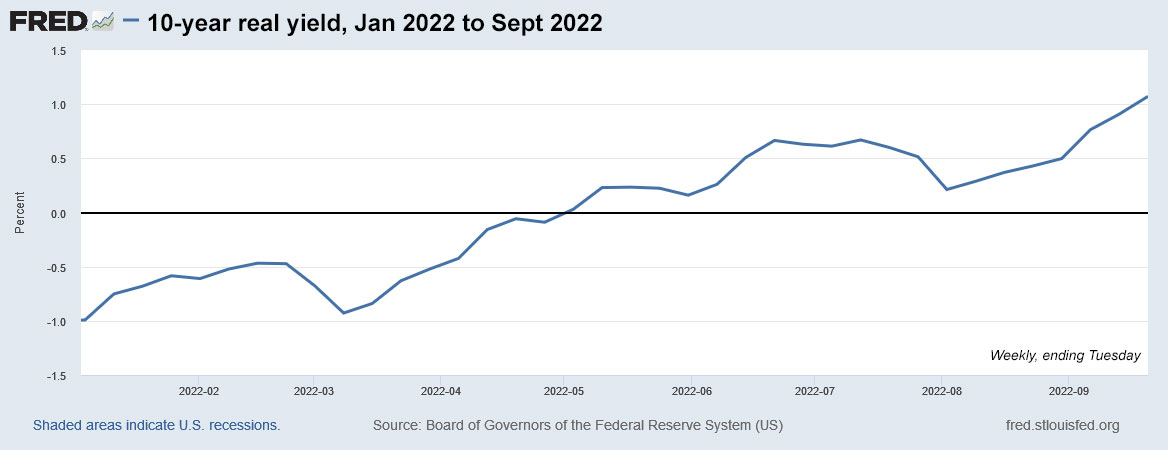
In this chart, I am taking a long view of 10-year real yields, back to January 2010, a year before the Federal Reserve began aggressive quantitative easing. The chart shows how yields peaked at the end of the Fed’s last tightening cycle in November 2018, and then went deeply negative after the Covid outbreak in March 2020.

Click on the image for a larger version.

Pricing for this TIPS

CUSIP 91282CEZ0 will carry an inflation index of 1.01972 on the settlement date of September 30, meaning that investors will be purchasing a bit less than 2% of additional principal, but at a discount of $95.84 for $100 of value (a current pricing). That will work out to about $97.73 for $101.97 of principal, plus maybe 13 cents of accrued interest, making the total cost around $97.86 for $101.97 of principal. That is a rough estimate and things can change before Thursday’s auction.

And keep in mind that the inflation index on this TIPS will drift down slightly in October, ending the month at 1.01936, based on slightly negative non-seasonally adjusted inflation in August. The markets know this is coming, and the auction price will reflect the minor change.

Inflation breakeven rate

With a 10-year nominal Treasury note now trading with a yield of 3.45%, this TIPS currently has an inflation breakeven rate of 2.38%, which looks like a reasonable and attractive number. Inflation over the last 10 years, ending in August, has averaged 2.5%. If you believe that inflation will run lower than 2.38% over the next 9 years, 10 months, buy the nominal Treasury. If you believe inflation will run higher, buy the TIPS.

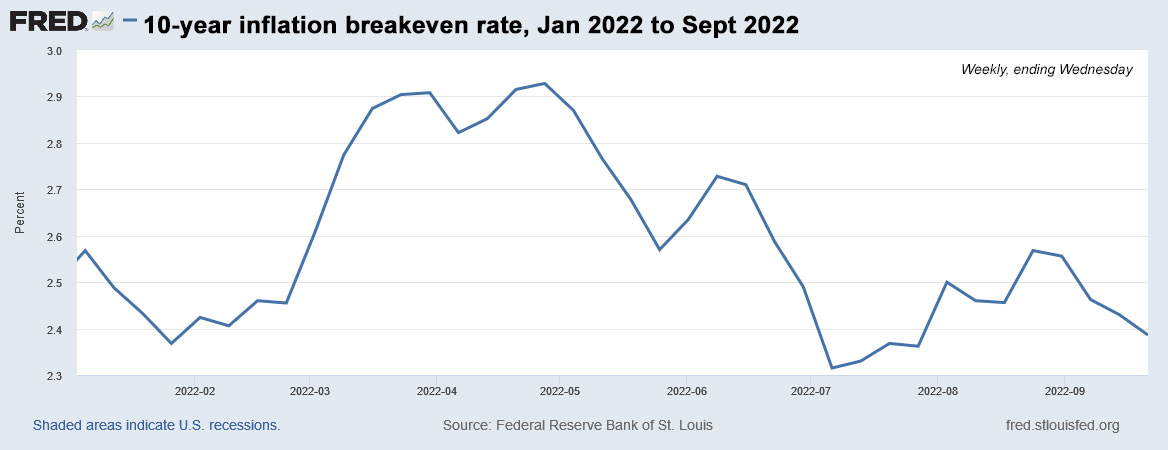
Here is the trend in the 10-year inflation breakeven rate since January 2010, showing how inflation expectations have been backing off since the Fed began tightening measures in March 2022:

Click on the image for a larger version.

Conclusion

It’s no secret that I am a fan of this auction’s potential, as long as real yields continue to hold throughout this week. That’s no sure thing, with a potential market disruption coming Wednesday when the Federal Reserve announces its decision on short-term interest rates. The market expects a 75-basis-point increase. If that what happens, yields should hold. But a month ago, on Aug. 18, the 10-year real yield was sitting at 0.36%. Anything can happen. In fact: Expect anything to happen.

Anyway, I was a buyer of this TIPS at the originating auction on July 21, and I was pleased with the real yield and coupon rate set at 0.625%, which can help cover the effects of any minor deflationary months. For the hold-to-maturity investor, there is very little risk in this TIPS. Obviously, I will be a buyer Thursday, if conditions hold. This is my opinion, and I am a journalist, not an adviser.

How high could real yields rise? This will depend on how high the Federal Reserve allows nominal rates to rise. If the 10-year note reaches 5%, it’s conceivable that the real yield of a 10-year TIPS could rise to 2.2% to 2.5%. But will the Fed sustain the courage to push rates higher, even if the U.S. economy is in turmoil? My gut says “not likely.”

I know there is also a lot of interest in the new 5-year TIPS auction coming up on Oct. 20. That one could produce a coupon rate of 1% — or maybe even 1.125% — and a real yield of about 1.13%. It will be reopened at auction on December 22, when we will know the full extent of the Federal Reserve’s interest rate decisions. In the last tightening cycle, the December 5-year TIPS reopening auctions were always among the best of the year.

Potential investors in CUSIP 91282CEZ0 can check how it is trading in real time on Bloomberg’s Current Yields page. This auction closes at noon Thursday for non-competitive bids, like those made at TreasuryDirect. If you are putting an order in through a brokerage, make sure to place your order Wednesday or very early Thursday, because brokers cut off auction orders before the noon deadline. I’ll be posting the results soon after the auction closes at 1 p.m. EDT.

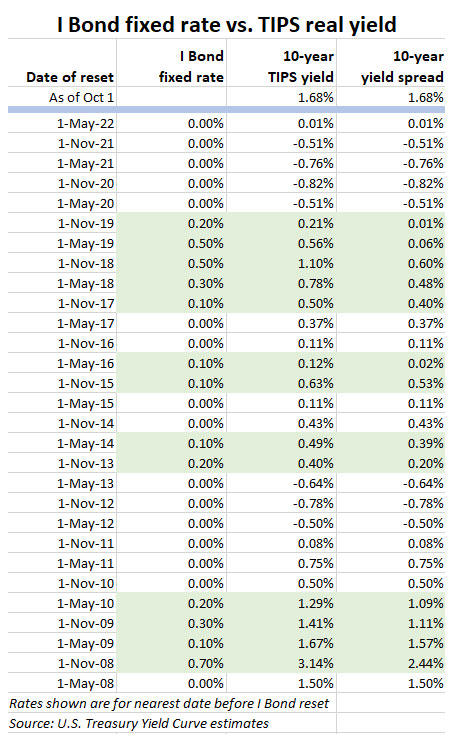
This same 10-year TIPS will be reopened at auction again on Nov. 17, giving investors one more chance at it. Here’s a history of all 9- to 10-year TIPS auctions dating back to January 2018. I have highlighted the single auction, in November 2018, with a real yield above 1%.

* * *

Feel free to post comments or questions below. If it is your first-ever comment, it will have to wait for moderation. After that, your comments will automatically appear.

David Enna is a financial journalist, not a financial adviser. He is not selling or profiting from any investment discussed. The investments he discusses can be purchased through the Treasury or other providers without fees, commissions or carrying charges. Please do your own research before investing.
Posted in Federal Reserve, Investing in TIPS | 26 Comments

The TIP ETF just dipped below $110. Is that a buy signal?

I won’t say ‘yes,’ but TIPS in general look attractive for the first time in several years.

By David Enna, Tipswatch.com

For many years, I’ve been tracking the price of the iShares TIP ETF, which holds the full array of TIPS maturities. Over that time, I’ve noticed something odd: The ETF’s net asset value consistently bounces higher after dipping below $110.

I have no investments in TIP and my favored fund of this type is Schwab’s U.S. TIPS ETF, which has a lower expense ratio. But TIP is the biggest and most-watched fund investing in Treasury Inflation-Protected Securities, so I use it as a proxy for the market.

I’ve thrown this $110 theory out there many times in the past, including this article I wrote on November 6, 2015, with exactly the same headline. On that day, the TIP ETF closed at $109.87, very close to Friday’s close of $109.70. The ETF also broke through the $110 barrier on March 20, 2020, a day of chaos throughout the stock and bond markets.

Here is a chart tracking the net asset value of the TIP ETF going back to January 2011, the first year of aggressive Federal Reserve intervention in the Treasury market:

Does this look like a coincidence or some kind of true price resistance? My theory is that each of these dips reflects a rise in real yields to attractive levels, but in almost every case since 2011, the Federal Reserve eventually stepped in to lower Treasury yields, and in turn to increase the NAV value of the TIP ETF.

Back in November 2015, when I noted the $110 milestone, this was the state of the TIPS market:

  • A 5-year TIPS had a real yield of 0.42%.
  • A 10-year TIPS, 0.71%.
  • A 30-year TIPS, 1.27%.

And this is the situation at today’s market close on (Sept. 16, 2022):

  • A 5-year TIPS has a real yield of 1.13%
  • A 10-year TIPS, 1.07%
  • a 30-year TIPS, 1.25%.

When was the last time real yields were this high? Back on Nov. 27, 2018, when the 5-year real yield reached 1.16%; the 10-year, 1.15%; and the 30-year 1.34%. And … it just so happens that the TIP ETF closed at $108.48 on that day. One year later, the TIP ETF closed at $116.65. Two years later it was at $126.28.

What’s the point?

The bond market is a very scary thing in September 2022 and I’m not going to argue that anyone should be pouring money into TIPS mutual funds or ETFs. But I will argue that TIPS in general — along with these funds — are much more attractive today than they were six months ago, when the 10-year TIPS was yielding -1.04% and the TIP ETF was trading at $122.46.

I have been nibbling into TIPS since May with small purchases at auctions, reallocating money from SCHP to individual TIPS. I think it is time to start taking some bigger bites, starting with next week’s 10-year TIPS reopening auction. I’ll be posting a preview of that auction on Sunday.

Keep in mind that these are my investments and my opinions. I am a journalist, not a financial adviser.

* * *

Feel free to post comments or questions below. If it is your first-ever comment, it will have to wait for moderation. After that, your comments will automatically appear.

David Enna is a financial journalist, not a financial adviser. He is not selling or profiting from any investment discussed. The investments he discusses can be purchased through the Treasury or other providers without fees, commissions or carrying charges. Please do your own research before investing.

Posted in Investing in TIPS | 11 Comments

Charts tell the story: The Federal Reserve has room to move (and keep) rates higher

By David Enna, Tipswatch.com

When I was a kid, my parents encouraged me to open a “passbook savings account” at a nearby savings & loan. As I recall, that account was paying 5% interest. At the time, I wasn’t impressed. Sixty years later, I’d jump for joy over 5% interest.

In the mid 1960s, the Federal Reserve was raising its effective federal funds rate after a recession in the early 1960s pushed it down to 1.17% in July 1961. In mid 1961, U.S. inflation was running at 1.4%, but it began moving higher and by November 1966 it had reached 3.8%. Where was the effective federal funds rate in November 1966? 5.76%, much higher than the rate of inflation.

The point is: Over the last 70 years, it’s been very rare to see the federal funds rate anywhere near zero and well below the annual rate of U.S. inflation. That is to say: Rare, until the last 10 years, when the Federal Reserve has adopted an accommodative policy to keep the U.S. economy (and stock market) ticking higher.

Here is a historical view of the federal funds rate from 1954 to today:

Click on the image for a larger version.

As you can see in the chart, the Federal Reserve kept its key short-term interest rate much higher than the current 2.33% until market crashes/recessions in 2000, 2008 and (briefly) in 2020. The current rate of 2.33% is a historical anomaly, and it has room to move higher based on historical precedent.

Federal funds rate vs. inflation

This next chart shows the federal funds rate in comparison to the annual U.S. inflation rate:

Click on the image to see a larger version.

This chart clearly shows that the Federal Reserve, through much of the last 70 years, has attempted to keep its federal funds rate tracking higher than the annual U.S. inflation rate, even going to the extreme of 19.1% in July 1981, at a time when U.S. inflation was running at 10.8%. That extreme action eventually brought inflation down, but the federal funds rate lingered at a high level through much of the 1980s, reaching only 9.85% in March 1989 before beginning a slide downward.

Even after the dot-com crash of 2000, the federal funds rate tracked pretty closely with U.S. inflation. The dramatic change came after the financial crash of 2008, when the effective federal funds rate reached the unprecedented level of 0.16% in December 2008.

Since 2008, the federal funds rate has remained well below annual U.S. inflation except for a brief time in 2019 — for example, 2.4% in July 2019 at a time when inflation was running at 1.8%. This accommodative policy has led to our current surge in inflation. The gap is shockingly high now … 2.33% versus the current inflation rate of 8.3%.

Federal funds rate versus stock market

This chart compares monthly annual gains or losses in the total stock market versus the federal funds rate, from April 1980 to August 2022:

Click on image to see a larger version.

The key point to notice that when the stock market rises, even dramatically, the federal funds rate tends to hold steady. When it declines, especially in advance of a recession, the federal funds rate tends to track lower. The Federal Reserve acts quickly to hold off recessions, and that in turn supports lofty stock market values, at times. When the economy and stock market are booming — especially when inflation isn’t a severe issue — the Federal Reserve stands pat.

Federal funds rate vs. GDP

This next chart provides a historical perspective on the effect of the federal funds rate on the U.S. gross domestic product:

Click on the image to see a larger version.

Again, for most of the last 70 years, the Federal Reserve held its key short-term interest rate higher than the annualized changes in the U.S. gross domestic product. If you look at the chart carefully, you can see that the federal funds rate tends to lag behind changes in the economy, rising during times of prosperity and falling during times of recession. But it does not appear to have a dramatic effect on GDP, which tends to tick along in the 2% range, even when the federal funds rate approached zero after 2008.

Conclusion

By historical standards, the Federal Reserve has room to continue to raise the federal funds rate, at least to a level that begins to approach the annual core inflation rate of 6.3%. But that won’t happen, and maybe it doesn’t need to happen. If you assume that inflation will begin drifting lower in future months, it is possible that a federal funds rate of 4% to 5% will hit the mark to keep inflation under control

But the fact is, before the August inflation report was released yesterday, many “experts” were predicting that the Fed would begin rolling back short-term interest rates in 2023 as the economy weakens. And I think that is all too likely.

My preference would be for the Fed to find a true neutral level — say 4.25% to 4.5% — and hold short-term rates at that level for a reasonable period of time, say throughout 2023. No more fiddling. Allow savers and the overall market to find a solid ground for future investments.

* * *

Feel free to post comments or questions below. If it is your first-ever comment, it will have to wait for moderation. After that, your comments will automatically appear.

David Enna is a financial journalist, not a financial adviser. He is not selling or profiting from any investment discussed. The investments he discusses can be purchased through the Treasury or other providers without fees, commissions or carrying charges. Please do your own research before investing.

Posted in Federal Reserve, Inflation | 25 Comments

U.S. inflation rose 0.1% in August: What it means for TIPS, I Bonds and Social Security COLA

This report is going to roil financial markets.

By David Enna, Tipswatch.com

Surprises, surprises. Financial markets, which had been rallying over the last week on expectations of falling prices, got an inflation reality check today: Seasonally adjusted U.S. inflation rose 0.1% in August, and 8.3% over the last year, the Bureau of Labor Statistics reported.

Economists had been expecting inflation to decline for the month, based on plummeting gasoline prices, which were down 10.6% for the month. Instead, both the monthly and year-over-year numbers came in higher than expectations. Core inflation, which removes food and energy, also greatly surpassed expectations, coming in at 0.6% for the month (versus an expected 0.3%) and 6.3% for the year (versus 6.1%).

My two-word analysis: “Not good.”

The BLS noted that increases in the shelter, food, and medical care indexes were the largest of “many” contributors to the all-items increase, overwhelming the deep decline in gasoline prices. Some key data from the report:

  • Food prices rose 0.8% for the month (the smallest monthly increase this year) and are now up a painful 11.4% year over year. Prices for all six major grocery store indexes increased.
  • The food at home index has increased 13.5% over the last 12 months, the largest one-year increase since March 1979.
  • Shelter costs increased 0.7% for the month and are up 6.2% year over year. The rent index rose 0.7% for the month.
  • Costs of medical care services were up 0.8% for the month and 5.6% for the year.
  • The index for household furnishings increased 1.0% in August after rising 0.6% in July.
  • Apparel costs were up a moderate 0.2% and 5.1% for the year.
  • The index for airline fares decreased 4.6% after falling 7.8% in July.

Here is the trend in annual all-items and core inflation over the last year, showing the slight rise in core inflation even as falling gasoline prices have caused all-items inflation to fall from the June peak of 9.1%.

What this means for TIPS and I Bonds

Investors in Treasury Inflation-Protected Securities and U.S. Series I Savings Bonds are also interested in non-seasonally adjusted inflation, which is used to adjust principal balances for TIPS and set future interest rates for I Bonds. For August, the BLS set the inflation index at 296.171, a decline of 0.04% from July’s 296.276. The BLS called this “unchanged.”

For TIPS. The August report means that principal balances for all TIPS will decrease 0.04% in October, after falling 0.01% in September. However, year-over-year balances will have increased 8.3% by the end of October. Here are the new October Inflation Indexes for all TIPS.

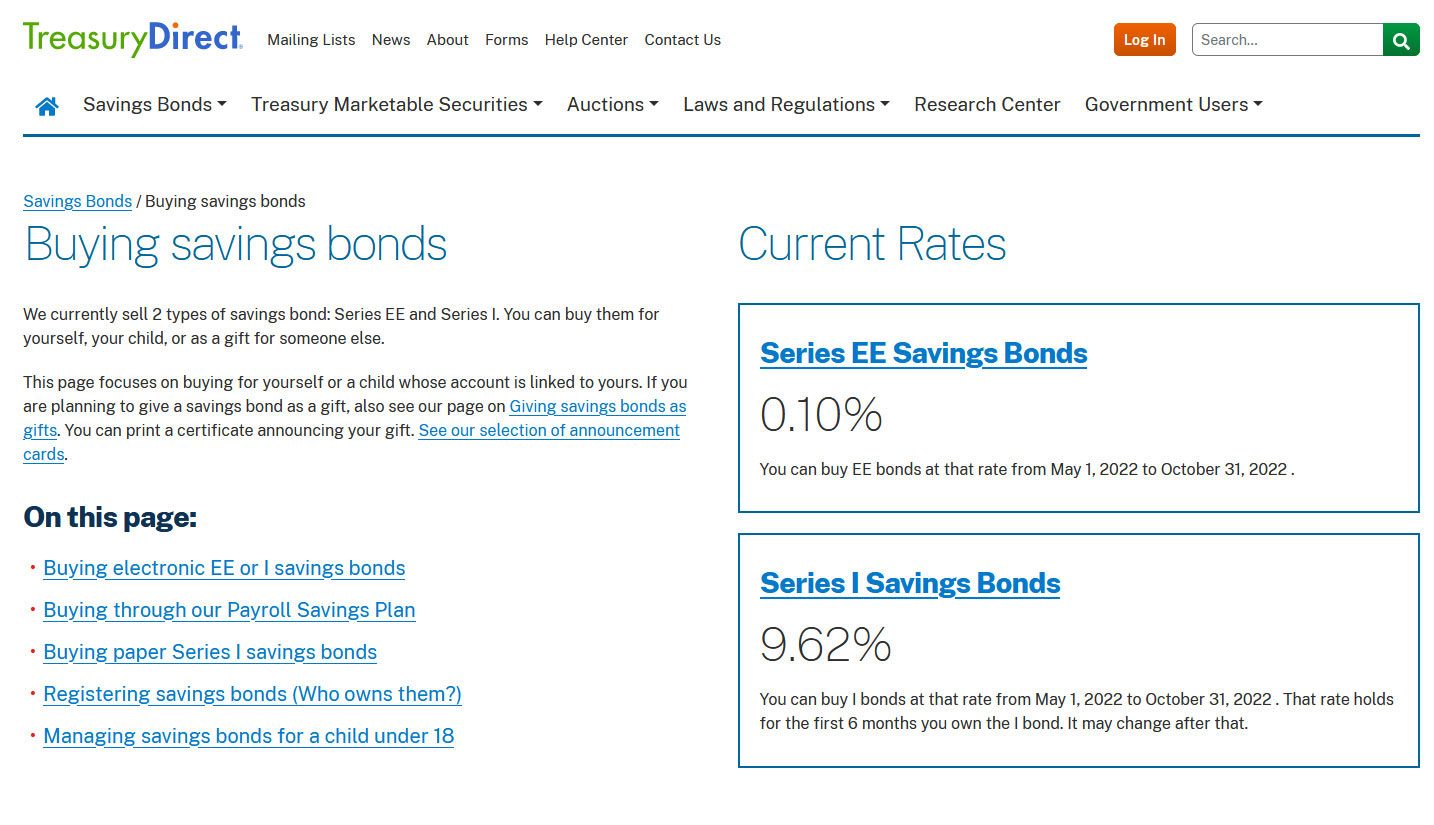
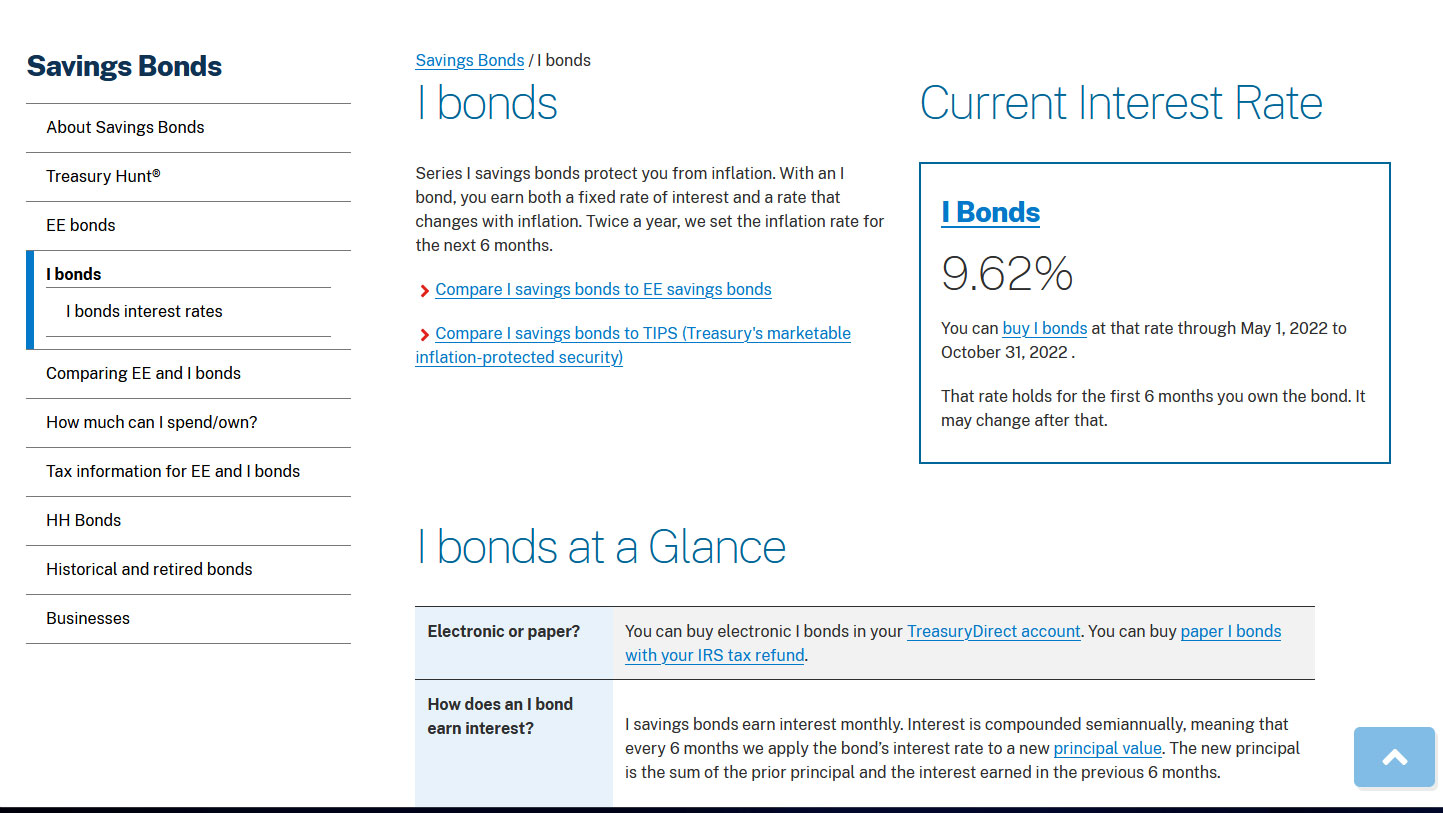
For I Bonds. The August report is the fifth in a six-month series that will set the I Bond’s new variable rate, which will begin rolling out November 1 for all I Bonds. As of August, inflation has run at a rate of 3.01%, which would translate to an I Bond variable rate of 6.02%, lower than the current rate of 9.62%. However, one month remains. Oil prices seem to have stabilized this month, so it’s possible we will see a higher number. Here are relevant data:

Note: This is a corrected version. My first attempt had the inflation rate at 3.02%.
You can see historic data back to 2012 on my Inflation and I Bonds page.

What this means for Social Security COLA

The August inflation report is the second of three — for July to September — that will set the Social Security Administration’s cost of living adjustment for 2023. The SSA uses a three-month average of a different index, the Consumer Price Index for Urban Wage Earners and Clerical Workers (CPI-W), to set its COLA.

For August, the BLS set CPI-W at 291.629, an increase of 8.7% over the last 12 months. However, CPI-W actually fell 0.2% for the month. But remember, it will be the average of July to September inflation indexes — compared to the same three-month average a year ago — that will determine the Social Security COLA. A year ago, that average was 268.421. If we have zero inflation in September, the COLA will be 8.7%.

Keep in mind that one month remains, and the COLA calculation could push slightly higher.

Here is my updated projection:

What this means for future interest rates

The S&P 500 just opened for trading today and it is down about 2.3%, after flashing higher minutes before the August inflation report was released. The reason: The markets are losing hope — a false hope in my opinion — that the Federal Reserve would begin easing off on tightening as U.S. inflation drifts lower. Although the monthly all-items number looks mundane, this was an ugly inflation report, with prices increasing across the economy despite a quick and steep decline in gasoline prices. Core inflation jumped from an annual rate of 5.9% in July to 6.3% in August.

U.S. inflation remains close to a four-decade high. This is not the time for the Federal Reserve to back off on its clear, necessary goal: to bring inflation down to a level at least approaching its target of 2%. Today’s report all but guarantees a 75-basis-point increase in the federal funds rate next week.

From today’s Wall Street Journal report:

Broad price pressures have proven resilient, causing the Federal Reserve to keep raising interest rates to fight inflation, said Kathy Bostjancic, chief U.S. economist at Oxford Economics.

“Inflationary dynamics are improving and moving in the right direction,” she said. “But they’re still running way too hot for comfort, either for individuals and businesses or the Federal Reserve.”

From Bloomberg:

The acceleration in inflation points to a stubbornly high cost of living for Americans, despite some relief at the gas pump. Price pressures are still historically elevated and widespread, pointing to a long road ahead toward the Fed’s inflation target. …

“If there was any doubt at all about 75 — they’re definitely going 75” at next week’s Federal Open Market Committee meeting, Jay Bryson, chief economist at Wells Fargo & Co., said on Bloomberg Television. “We thought they’d be stepping it back to 50 in November. At this point, you’d say 75 is certainly on the table in November.”

* * *

Feel free to post comments or questions below. If it is your first-ever comment, it will have to wait for moderation. After that, your comments will automatically appear.

David Enna is a financial journalist, not a financial adviser. He is not selling or profiting from any investment discussed. The investments he discusses can be purchased through the Treasury or other providers without fees, commissions or carrying charges. Please do your own research before investing.

Posted in Federal Reserve, I Bond, Inflation, Investing in TIPS, Savings Bond, Social Security | 29 Comments